Adobe Podcast
AI-powered web tool for recording and editing pro podcast/voiceover audio.
Product Overview
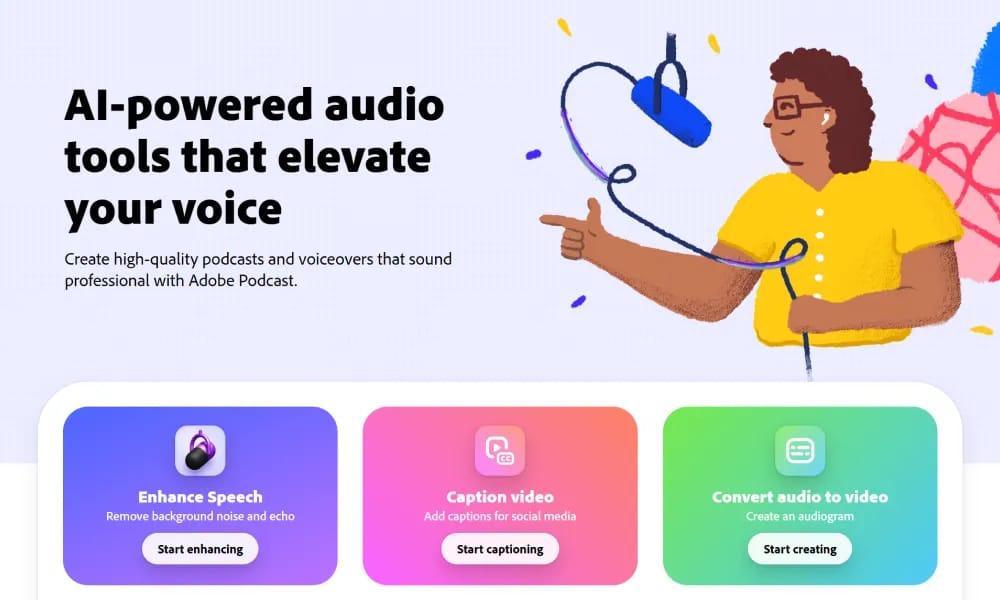
Details and main features: Adobe Podcast (podcast.adobe.com) is Adobe's AI-driven web platform for audio recording, editing, and enhancement directly in the browser—no software download required—designed to help create high-quality podcasts, voiceovers, and spoken content; leverages AI (from Adobe Premiere Pro tech) for one-click Enhance Speech to remove noise/echo, Mic Check for setup analysis, Studio BETA for multi-guest remote recording with individual 16-bit 48k WAV tracks, text-based editing via transcription (cut/copy/paste like a document), auto-leveling, and pre-edited royalty-free music (intros/outros/transitions/backgrounds); ideal for podcasters, creators, storytellers, and anyone wanting studio sound without pro gear; supports uploading audio/video for enhancement (free limits: 500MB/30 min, Premium longer); focuses on ease, story-first approach. Main features Enhance Speech: AI instantly removes noise/echo, boosts clarity, with adjustable strength. Studio BETA: Browser-based recording/editing/enhancement with multi-track, remote guests, transcription editing. Mic Check: AI analyzes and suggests fixes for microphone issues pre-recording. Transcription editing: Auto-transcribe and edit audio as text. Other: Royalty-free music library, bulk upload (Premium), video support (Premium), high-quality WAV export.
Best For
Best for podcasters, content creators, and educators who need to record and enhance professional-quality voice audio directly in a web browser.
Key Features
- AI-powered audio enhancement that removes background noise, echo, and room reverb from voice recordings with a single click
- Studio-quality microphone simulation that improves the tonal quality of recordings made with basic or built-in microphones
- Web-based recording studio with multi-track support for interviews, co-host sessions, and solo recordings with direct browser capture
- Automatic audio leveling and normalization ensuring consistent volume across different speakers and recording environments
- AI-based filler word detection and silence removal that intelligently cuts ums, ahs, and long pauses from spoken content
- Direct integration with Adobe Premiere Pro for seamless export and further editing within Adobe's professional video ecosystem
Pros
- +One-click enhancement dramatically improves poor-quality recordings made on laptops or phones to near-studio quality
- +Completely browser-based with no software installation required, making it accessible from any device with internet access
- +Adobe's expertise in professional audio processing translates into industry-leading noise reduction algorithms
Cons
- -Limited to spoken word and voiceover content not suitable for music recording or complex audio production
- -Advanced features and higher quality exports require an Adobe Creative Cloud subscription
/// SPECS
- Pricing:ProFree
- Platform:Browser
- Free tier available, premium features paid

RunwayML
: Leading AI platform for cinematic video and image generation with pro controls.

Higgsfield
AI platform for cinematic video and image generation with pro controls.

Flow
AI filmmaking tool for creatives to generate cinematic clips, scenes, and stories.

LTX Studio
All-in-one AI platform for end-to-end video production from script to final edit.

Luma AI
AI video generator creating cinematic clips from text or images quickly.

MagicHour
Free online AI platform for generating videos and images with 100+ tools.

Diffusion Studio Pro
Browser-based AI-powered professional video editor with automation.

Quso
AI tool turning long videos into viral shorts with social media scheduling.

EaseUS Fixo
Online AI tool to quickly repair corrupted MP4/MOV and other video files.

Sparkify
AI experimental tool turning questions or ideas into animated explainer short videos.