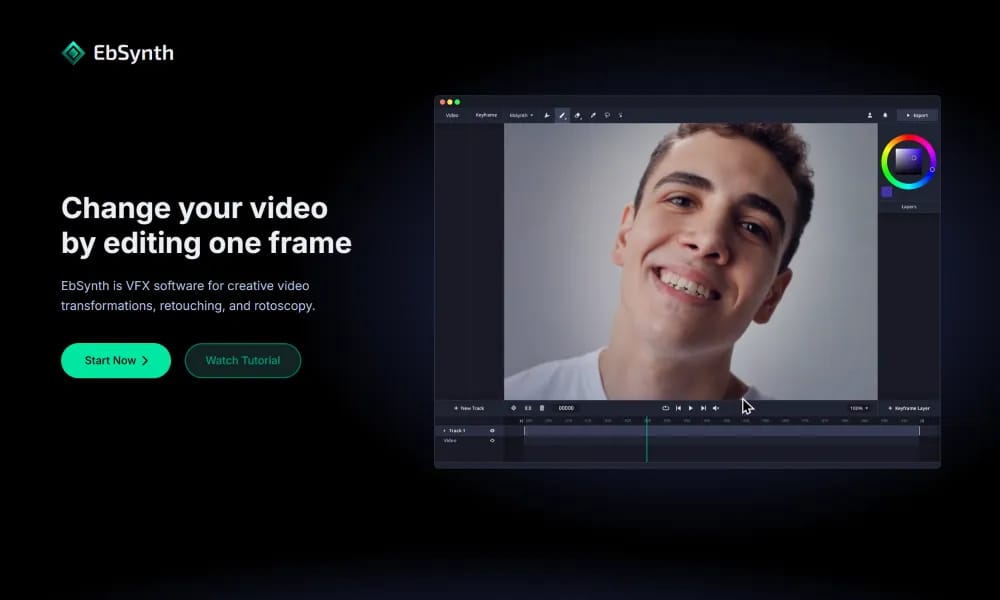
Product Overview
Details and main features: EbSynth is a browser-based VFX software for creative video transformations, retouching, and rotoscopy; users edit or paint one (or more) keyframes, and EbSynth automatically propagates changes throughout the video timeline using a texture-synthesis algorithm (not AI for propagation) based on optical flow; optional AI "Generate Image" feature helps create keyframes (powered by SDXL); key advantage is skipping manual tracking for fast hand-drawn animation styles, video touch-ups, digital makeup, colorization, etc.; ideal for artists, animators, VFX pros, and storytellers, supports multiple video tracks with alpha; processed in browser (Chrome recommended), with temporary server uploads for rendering (deleted immediately after, not used for training). Main features Keyframe propagation: Apply edits from keyframes to full video while preserving texture coherence, contrast, and details. Optional AI keyframe generation: Generate or refine keyframes with Generate Image. Creative transformations: Hand-painted animation looks, retouching, colorizing, rotoscoping, digital effects. Output options: Basic rendering in free plan; Pro unlocks high-res, PNG sequences. Other: Transparent background support, keyframe alignment tips, Studio plan for fully offline (contact required).
Best For
VFX artists, animators, and independent filmmakers who need to apply hand-painted rotoscoping or style transfers to video footage with precision.
Key Features
- Keyframe-based video editing where painting or modifying a single frame propagates automatically across the entire timeline
- Texture synthesis algorithm that transfers painted edits to every frame while preserving natural motion and details
- Selective application masks that restrict edits to specific regions, leaving other areas of the frame untouched
- Style transfer capability that applies hand-painted, cel-shaded, or watercolor looks to full video sequences
- Before-and-after split view for real-time comparison of original footage against synthesized results
- Batch export with customizable resolution, frame rate, and codec settings for different delivery requirements
Pros
- +Enables frame-by-frame quality rotoscoping and video painting that would take hundreds of hours manually
- +Non-AI texture synthesis approach gives artists precise control over output that neural methods cannot match
- +Lightweight software that runs smoothly even on modest hardware without requiring GPU acceleration
Cons
- -Requires at least one manually painted keyframe to work — it's an assisted tool, not a fully automatic solution
- -Best results require a steady hand and artistic skill for the initial keyframe painting, with a learning curve for newcomers
/// SPECS
- Pricing:ProFree
- Platform:Browser
- Free tier available, premium features paid

Veo
Advanced Google DeepMind model for high-def video generation with native audio from text/images.

Deevid
Free AI video generator creating high-quality dynamic videos from text/images quickly.

Detail
AI-powered video recording and auto-editing app for podcasts and social shorts.

Higgsfield
AI platform for cinematic video and image generation with pro controls.

Flow
AI filmmaking tool for creatives to generate cinematic clips, scenes, and stories.

LTX Studio
All-in-one AI platform for end-to-end video production from script to final edit.

Luma AI
AI video generator creating cinematic clips from text or images quickly.

MagicHour
Free online AI platform for generating videos and images with 100+ tools.

Powder
AI-powered gaming clipper that auto-extracts highlights from recordings and streams.

Digen
Free AI video generator turning images into pro lip-sync videos.