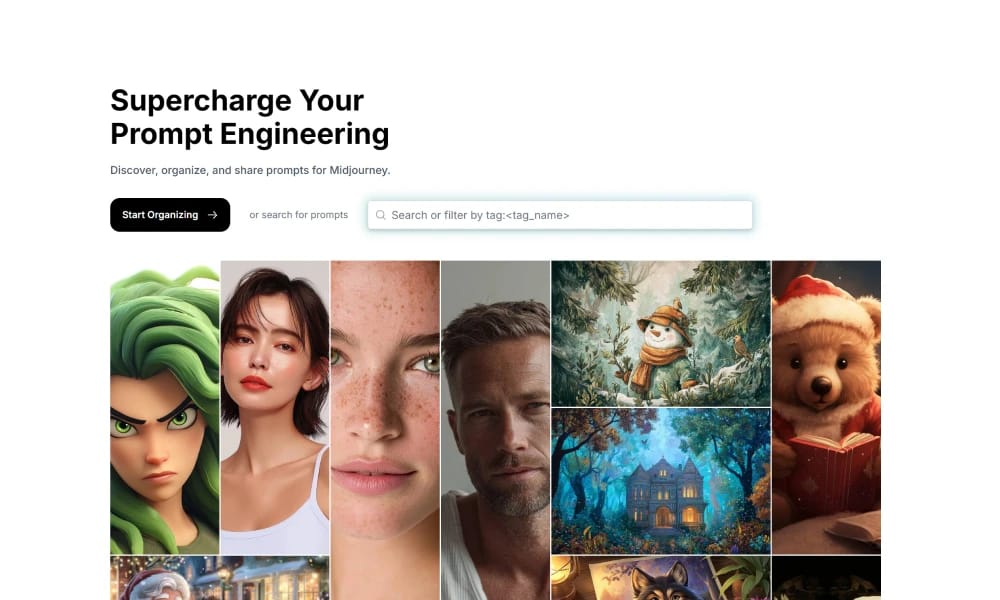
Promptalot
Promptalot is an online tool that helps users create detailed prompts for AI image generators.
Product Overview
Promptalot is an online tool specifically designed to assist users in writing high-quality text prompts for various AI image generators, such as Midjourney, Stable Diffusion, and others. Its core content is to provide a structured and guided interface that helps users construct complex and effective prompts. The main functionalities of this platform include: Prompt Builder: Users can gradually build prompts by selecting preset elements, styles, artists, lighting, composition, colors, materials, image quality, and other options. These options can be combined like LEGO bricks to generate very detailed and specific instructions. Inspiration & Examples: Promptalot offers a large number of prompt examples and combinations, from which users can draw inspiration and understand how to combine different elements to achieve specific visual effects. Parameter Adjustment: The platform may also include options related to AI image generator parameters, helping users understand and adjust how these parameters influence the final output. Easy Copy and Export: Generated prompts can be easily copied and directly pasted into AI image generation tools for use. Promptalot aims to solve the difficulties users encounter when writing effective and specific prompts, especially for beginners. It provides a friendly entry point, helping them master AI art creation techniques more quickly, thereby generating images with greater creativity and control.
Best For
Best for beginners and intermediate AI art users who need structured guidance to write effective, detailed prompts for various AI image generators.
Key Features
- Structured guided interface for building detailed AI image generation prompts
- Support for multiple AI platforms including Midjourney, Stable Diffusion, and DALL-E
- Parameter adjustment section for understanding how settings affect output
- Prompt component builder with subject, style, lighting, and composition sections
- One-click copy and export for direct pasting into target AI tools
- Template-based starting points for common image types like portraits, landscapes, and product shots
Pros
- +Structured approach helps beginners write effective, detailed prompts
- +Multi-platform support covers major AI image generators
- +Parameter guidance educates users on how different settings influence results
Cons
- -Primarily form-based with limited freeform prompt experimentation
- -Does not generate images directly, serves only as a prompt builder
/// SPECS
- Pricing:ProFree
- Free tier available, premium features paid
PromptBase
PromptBase is an online marketplace and community for buying and selling high-quality AI prompts.

Promptomania
Promptomania is an interactive online tool for building and optimizing prompts for AI image generators.
PromptHero
PromptHero is an online gallery and tool for searching, discovering, and sharing AI art prompts.

Leonardo.Ai
Leonardo.Ai is a powerful AI art and image generation platform offering model training, image editing, and creative tools.

Hugging Face
Hugging Face is a leading platform that gathers various open-source AI models, datasets, and demo applications.
Lexica.art
Lexica.art is a platform for searching AI-generated images and related prompts, also offering AI image generation capabilities.
Public Prompts
Public Prompts offers a large free AI art prompt library for models like Midjourney and Stable Diffusion.
Visual Electric
Visual Electric is an intuitive AI image generator focused on providing users with simple and efficient creative tools.
Midlibrary
Midlibrary.io is a resource library specifically for Midjourney AI image generator, providing prompts and style inspiration.

Kalos.art Library
Kalos.art Library is a resource library for exploring and learning AI art prompts.