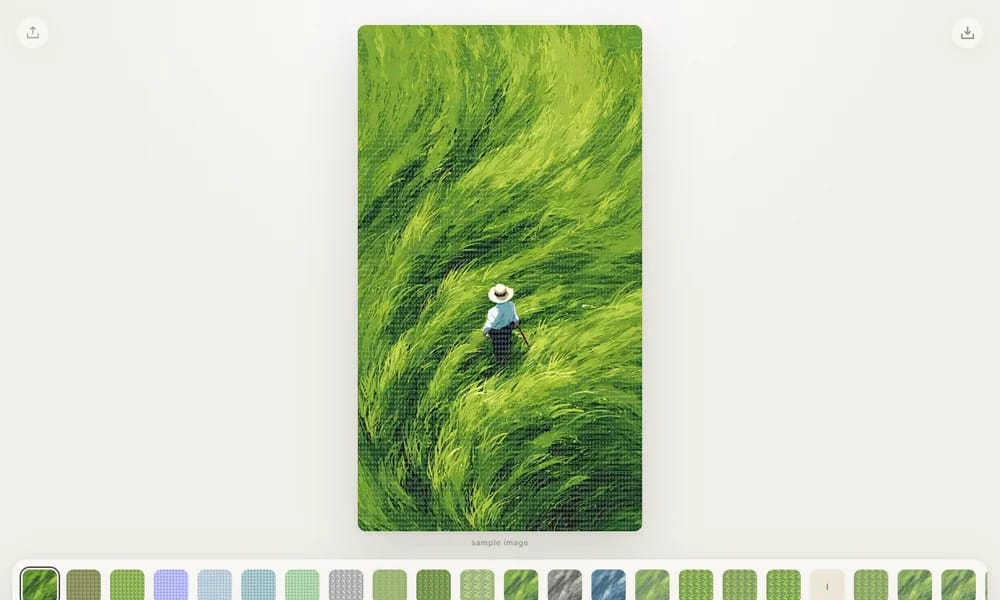
Add print, glyph, paper, and painterly textures to images — right in your browser
Product Overview
Textures is a free browser-based tool that applies tactile image filters to your photos entirely on your machine. Upload a PNG, JPEG, or WebP image, pick a texture filter, and download the result as a full-resolution PNG. The filter library includes 25 options: Glyphfield, Risograph, Bitgrain, Cobalt Grain, Denim Grain, Harbor Grain, Meadow Grain, Dotcross, Typeblocks, Stipple, Paper, Watercolor, Ink Wash, Cyanotype, Signal Mix, Pixel Crush, Tessera, Studwork, Crossmarks, Facets, Linepress, Slant, Dot Cells, Isoform, and Chroma Pop. Everything runs locally in your browser — no uploads, no servers, no account. Your images never leave your device.
Best For
Best for designers and creators who want to quickly add tactile print, grain, paper, and painterly textures to images without uploading them anywhere
Key Features
- 25 tactile texture filters
- Print, glyph, paper, and painterly styles
- Risograph, watercolor, ink wash, cyanotype effects
- Pixel crush, mosaic, and geometric filters
- Upload PNG, JPEG, or WebP images
- Download full-resolution PNG output
- 100% local processing in your browser
- No account or upload required
- Free to use
Pros
- +Completely free
- +100% local — images never leave your device
- +Wide variety of texture filters
- +Full-resolution PNG export
- +No account or sign-up needed
Cons
- -Only image textures, no video support
- -No batch processing
- -Limited customization of filter parameters
- -Single-purpose tool
/// SPECS
- Pricing:Free
- Platform:Web
- Completely free, runs locally in your browser
Brilliant
Professional vector design tool you and your AI agents drive together

DesignMD
Extract any website's design DNA into an AI-ready DESIGN.md

Name That UI
The visual dictionary for UI and product designers
Koboyo Icons
130,000+ free hand-drawn SVG icons with an AI canvas
Humation
Generate cute hand-drawn avatars for your profile or brand
Tree.ICQR
Turn any link into a stunning 3D tree that doubles as a scannable QR code

Photon Studio
A free desktop image editor with layers, retouching, and native PSD support
Compositor
The Photoshop alternative for Mac — free, open source, and always yours