affinity
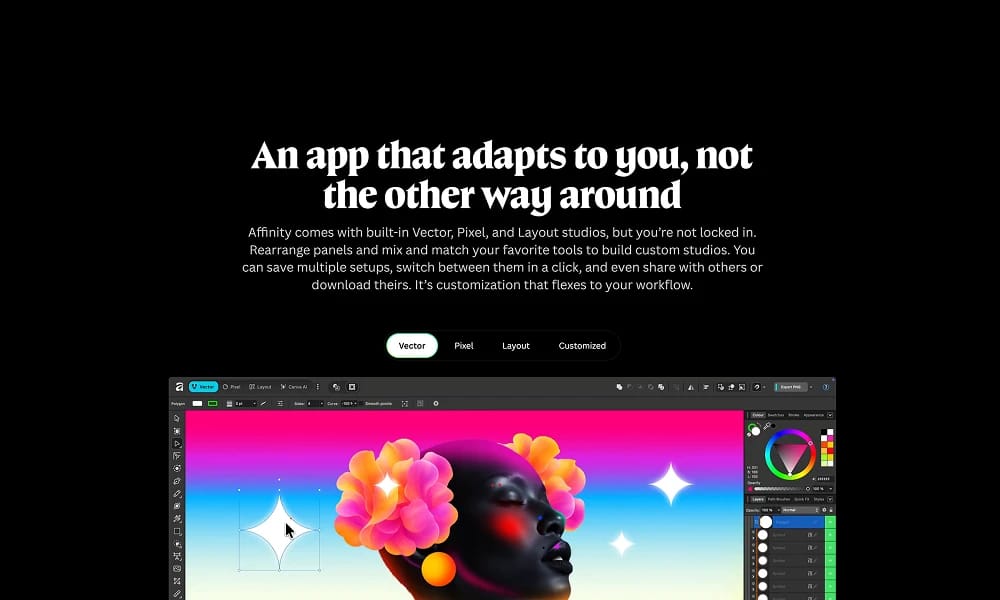
Affinity is Canva's relaunched free all-in-one creative suite unifying Designer, Photo, and Publisher into a customizable app with native AI integrations for professional workflows.
Product Overview
Affinity has been relaunched by Canva as a unified, all-in-one creative app combining vector design (Designer), photo editing (Photo), and page layout (Publisher) tools into a single, free application with a redesigned, customizable interface for seamless workflows across Mac and Windows, with an iPad version planned for 2026. It features non-destructive editing, a single universal file format, and advanced customizations like rearrangeable panels, shareable studios, and performance optimizations based on user feedback, while existing V2 app users can continue using their versions. Native Canva integration allows Premium subscribers to access AI tools such as Generative Fill, Expand & Edit, and Background Removal directly within Affinity, with strong privacy controls ensuring no user work is used for AI training, and easy project sharing to Canva accounts. Unified Workspace: Switch effortlessly between vector, raster, and layout modes in one app with live previews and non-destructive edits. Customization: Rearrange tools/panels, save multiple workspaces, and share custom studios for team collaboration. AI Integration: Canva Premium-exclusive tools for generative AI editing, emphasizing user control and privacy. Export & Sharing: Single file format for exports to Canva or other formats like PDF/PSD. Pricing and Accessibility Permanently free with no subscriptions, limitations, or hidden catches; requires a free Canva account for download and access, available immediately for Mac and Windows.
Best For
Export & Sharing: Single file format for exports to Canva or other formats like PDF/PSD. Pricing and Accessibility Permanently free with no subscriptions, limitations, or hidden catches; requires a free Canva account for download and access, available immediately for Mac and Windows.
Key Features
- Unified Workspace: Switch effortlessly between vector, raster, and layout modes in one app with live previews and non-destructive edits.
- Customization: Rearrange tools/panels, save multiple workspaces, and share custom studios for team collaboration.
- AI Integration: Canva Premium-exclusive tools for generative AI editing, emphasizing user control and privacy.
- Export & Sharing: Single file format for exports to Canva or other formats like PDF/PSD.
Pros
- +Free to use
- +Real-time collaboration
- +Large media library
- +Streamlines workflow
Cons
- -Subscription required for full access
- -May have a learning curve
- -Free tier has limited functionality
/// SPECS
- Pricing:ProFree
- Free tier available, premium features paid

Lovable
Lovable.dev is an AI-powered app builder that enables users to create functional full-stack applications and websites without writing code, using natural language prompts. It acts as a "superhuman full stack engineer," generating frontend, backend, databases, and more, allowing rapid prototyping 20x faster than traditional methods.
IconKitchen
Online tool for multi-platform app icon generation.

UXfol
UXfolio is a no-code platform that empowers UX/UI designers to build and publish professional, case study-focused portfolios effortlessly using customizable templates and intuitive tools.

Semplice
Semplice is a no-code WordPress portfolio builder for designers, enabling custom, animated websites via an intuitive grid editor without templates or coding.
Snappa
Snappa is an intuitive graphic design tool that enables non-designers to create professional social media graphics, blog images, and ads quickly using templates, stock assets, and simple editing features.
Kapwing
Online video editor and AI toolkit for easy social and marketing video creation.

Clipchamp
Microsoft AI video editor for quick social and professional video creation.

Dorik
Dorik is an AI-powered no-code website builder that enables users to create, customize, and deploy professional, responsive websites in minutes using intuitive prompts, templates, and drag-and-drop tools, complete with hosting and integrations.
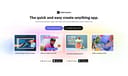
Adobe Express
Adobe Express is a free, AI-powered design, photo, and video tool that enables quick creation of on-brand content for teams, enterprises, and students, with seamless integrations and commercial-safe AI features.
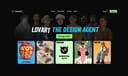
Lovart
Lovart.ai is the world's first AI design agent that automates the full design journey from concept to outputs like images, videos, and 3D, enabling creators to bring ideas to life instantly without wait times or limits.