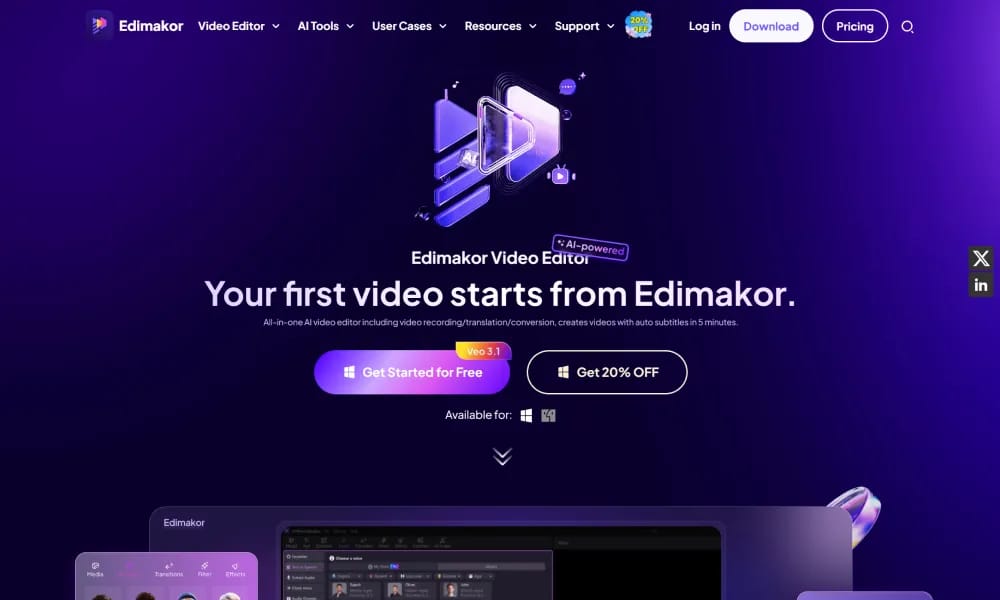
Product Overview
Details and main features: HitPaw Edimakor is an AI-powered video editing software from HitPaw, designed for content creators, influencers, businesses, educators, and lifestyle users to simplify professional video production; features a comprehensive AI toolkit including AI Image to Video, AI Talking Avatar, AI Clip Maker (auto-extract engaging shorts from long videos), AI Script Video Generator, AI Subtitle (speech-to-text), AI Video Translator, AI Text to Speech, AI Background Remover, AI Voice Clone, AI Face Swap; traditional editing includes cut/merge/rotate/crop videos, speed control, color correction, add effects/transitions/text/stickers/music; comes with millions of commercial stock assets (100M+ media, 2K+ titles/transitions, 1K+ music tracks, stickers); suitable for influencer tutorials (cooking/fitness/vlogs/product reviews), business marketing/sales pitches, educational content, family memories; user-friendly interface on Windows/macOS, focuses on AI simplifying complex tasks and efficient creation. Main features AI toolkit: Image-to-video, talking avatars, auto highlight clipping, script-to-video, subtitles/translation, text-to-speech, background removal, voice clone, face swap. Traditional editing: Trim/merge/rotate/crop, speed adjustment, color correction, effects/transitions/text/stickers/music. Assets & templates: Vast royalty-free stock, titles/transitions/music/stickers library. Other: Batch processing, multi-track timeline, various import/export formats, cloud AI credits for advanced features.
Best For
Best for content creators, marketers, and educators who need an all-in-one AI video editing platform to quickly produce professional-quality videos with subtitles, translations, and effects.
Key Features
- AI-powered auto subtitle generator supporting 130+ languages with customizable text styles and speaker detection
- Text-to-video and image-to-video generation integrating Google Veo 3, Sora 2, Kling, and other leading AI models
- AI video translator and dubber with 400+ realistic voiceover options and natural lip-sync across languages
- One-click background removal for videos and photos without green screen, powered by AI cutout technology
- Built-in screen recorder with webcam capture, audio overlay, and live streaming support for versatile content creation
- AI clip maker that automatically extracts highlight moments from long videos into short viral social media clips
Pros
- +Unifies 20+ AI features from multiple leading video models in a single platform, eliminating the need for separate tools
- +Auto subtitle and translation capabilities cover 130+ languages, making multilingual content creation exceptionally accessible
- +User-friendly drag-and-drop timeline with AI-assisted editing lowers the barrier for beginners while offering depth for experienced creators
Cons
- -Free tier exports include watermarks and limits access to advanced AI features behind a credit-based paywall
- -AI-generated edits and voice clones often require manual correction for accented speech or complex multi-track compositions
/// SPECS
- Pricing:ProFree
- Platform:Browser
- Free tier available, premium features paid

CapCut
ByteDance AI video editor for creating pro TikTok/YouTube shorts easily.

lumen5
AI video maker turning text/articles into professional social videos quickly.

Topazlabs
AI platform for enhancing photos and videos with denoising, sharpening, and upscaling.

CrePal
AI video creation agent turning prompts into complete multi-scene short films.

EchoWave
Free online audio-to-video editor adding waveforms & subtitles for social sharing.

Genmo
Open-source AI platform for high-quality text-to-video generation with realistic motion.

Unscreen
Free online AI tool to remove video backgrounds instantly.

Xound
AI audio enhancer removing noise and perfecting voice for creators.

Riverside
Riverside AI transcription service for free unlimited audio/video to text in 100+ languages.

Joyland
Free NSFW AI roleplay platform for chatting with custom virtual companions.