Topazlabs
AI platform for enhancing photos and videos with denoising, sharpening, and upscaling.
Product Overview
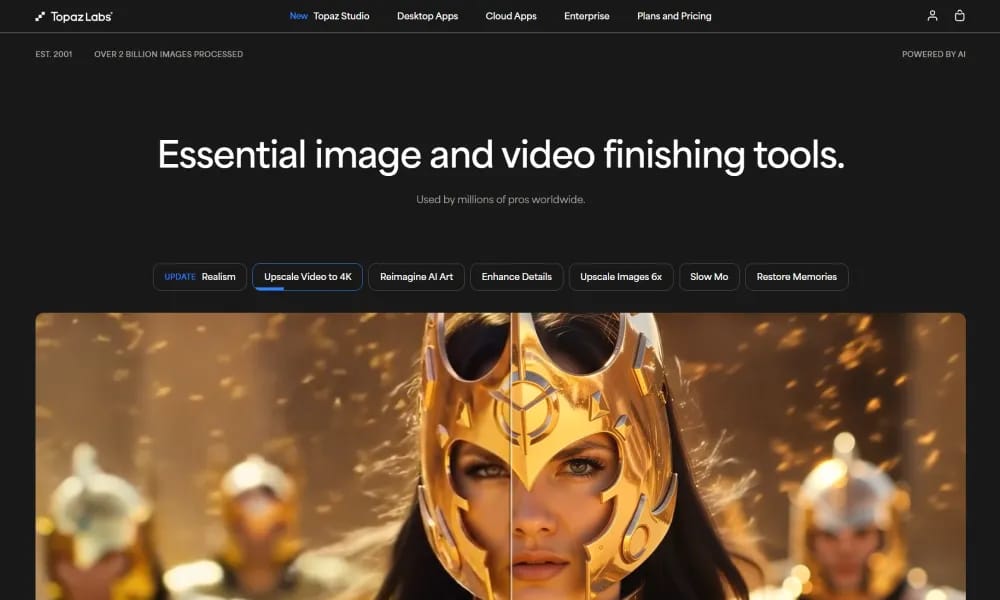
Details and main features: Topaz Labs (topazlabs.com), founded in 2001 and having processed over 2 billion images, specializes in professional-grade AI tools for photo and video enhancement, denoising, sharpening, upscaling, and restoration; key products include Topaz Photo (image enhancement for on-location photographers: noise reduction, sharpening, detail recovery, upscaling), Topaz Video (video enhancement trusted by pros: denoising, stabilization, frame interpolation, 4K upscaling, ultra slow-motion), Topaz Gigapixel (image upscaling up to 16x pixels), Bloom (creative image upscaling to 8x with added details), Astra (creative video upscaling to 4K in precise/creative modes), Express (web-based quick fixes), Mosaic (old photo/film restoration); latest Realism Update adds 20+ new models/features across apps; ideal for professional photographers, filmmakers, archivists, and hobbyists, with local processing (privacy-safe), cloud rendering (faster), enterprise workflows; emphasizes PhD-level AI R&D for unmatched clarity/detail/realism. Main features Image enhancement: Denoise, sharpen, detail recovery, upscaling, old photo restoration. Video enhancement: Denoise, stabilize, frame interpolation (create new frames), 4K upscaling, ultra slow-motion. Creative tools: Bloom/Astra for artistic detail addition, Express for web quick fixes. Other: Local/cloud processing, batch support, plugin integration, commercial licensing (paid), ongoing model updates.
Best For
Best for professional photographers, videographers, and studios who need industry-leading AI enhancement for high-volume image and video processing with maximum quality and privacy.
Key Features
- AI-powered photo enhancement with dedicated models for denoising, sharpening, upscaling, and face recovery in portraits
- Video enhancement suite supporting upscaling to 8K resolution with frame-by-frame AI processing for temporal consistency
- Motion deblurring technology that recovers sharp details from blurry images and video frames caused by camera shake or fast movement
- Batch processing engine capable of handling thousands of images or video files simultaneously with preset application
- Standalone desktop applications (Photo AI, Video AI, Gigapixel) optimized for local GPU acceleration without cloud dependency
- Model training customization allowing professional users to fine-tune AI models on their specific types of imagery for specialized results
Pros
- +Industry-standard quality for AI image and video enhancement with proven track record since 2001 and over 2 billion images processed
- +Local GPU processing means no cloud costs, no file size limits, and full privacy for sensitive or confidential imagery
- +Motion deblurring capability is best-in-class, recovering details from footage that other tools simply cannot fix
Cons
- -High price point for individual products and bundles, with no free tier and limited trial functionality
- -Desktop-only applications require powerful local hardware (dedicated GPU recommended) and are not available on mobile or web
/// SPECS
- Pricing:ProFree
- Platform:Browser
- Free tier available, premium features paid

ToMoviee
All-in-one AI creative studio for generating videos, images, voice & sound effects.

CapCut
ByteDance AI video editor for creating pro TikTok/YouTube shorts easily.

Morphic
AI storytelling platform generating images, animations, and sound with breakthrough tech.

Media
Online AI multimedia platform for enhancing video, audio, image & PDF.

lumen5
AI video maker turning text/articles into professional social videos quickly.

CrePal
AI video creation agent turning prompts into complete multi-scene short films.

EchoWave
Free online audio-to-video editor adding waveforms & subtitles for social sharing.

Edimakor
AI video editor for creators to make pro videos with effects easily.

Genmo
Open-source AI platform for high-quality text-to-video generation with realistic motion.

Vivago.ai
Free AI platform for image & video generation with text/image prompts and 4K editing.