Product Overview
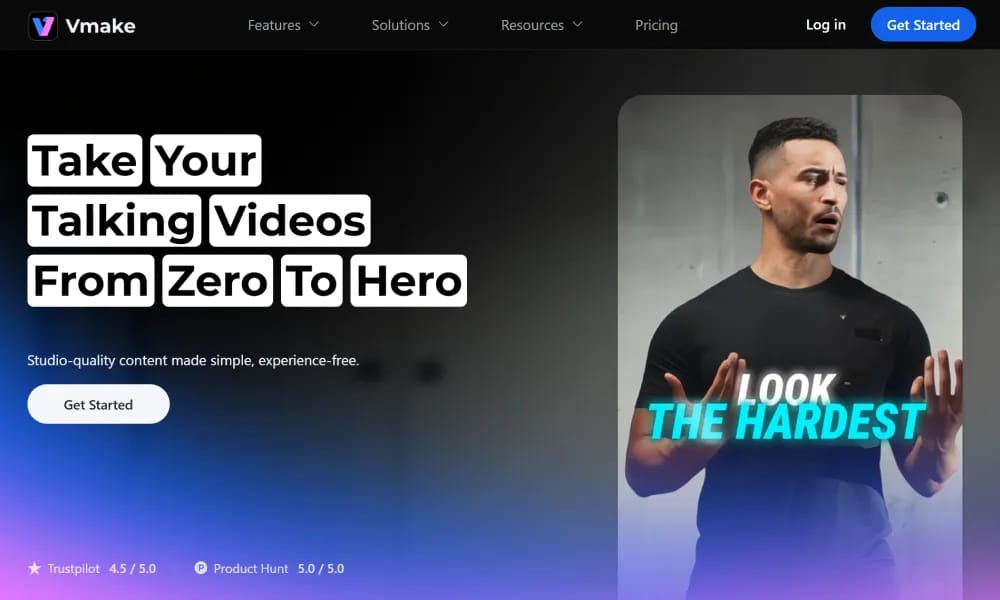
Details and main features: Vmake.ai is an all-in-one AI-powered video solution focused on talking head/talking videos, helping users enhance quality, remove flaws, and add creative elements quickly; supports AI video generation (from images/clips/ideas), auto captions (one-click styled subtitles), video enhancement (AI 4K+ upscaling, audio cleanup), watermark/text/object removal, background replacement, noise reduction; excels at post-processing AI-generated videos (e.g., Sora, Kling); includes mobile app with AI teleprompter; ideal for content creators, marketers, YouTubers, e-commerce; browser + app access, integrates various AI models. Main features AI Video Generator: Turn images, clips, or ideas into videos fast. Auto Captions: Convert speech to styled captions with one click. Video Enhancer: AI for crystal-clear visuals, clean audio, 4K+ output. Removal Tools: Watermark/text/object/background remover & replacer. Other: Image quality enhancer, video background changer, noise reducer, Sora/Kling watermark removers, AI thumbnail generator.
Best For
Best for content creators, educators, and business professionals who regularly produce talking head videos for social media, tutorials, or presentations.
Key Features
- Talking head video generation from images or clips with AI-powered lip-sync that matches mouth movements to spoken audio
- One-click auto captions with customizable subtitle styles, positioning, and animated effects optimized for social media viewing
- AI video enhancement that automatically improves resolution, fixes lighting issues, and reduces noise in talking head recordings
- Virtual background replacement for talking head videos with AI segmentation that maintains clean edges around hair and body
- Built-in teleprompter for recording scripted talking head content with adjustable scrolling speed and mirror mode
- Template-based video creation with pre-designed layouts for common formats like product reviews, tutorials, and announcements
Pros
- +Specialized focus on talking head content delivers noticeably better results for this use case than general-purpose video editors
- +AI enhancement significantly improves the quality of webcam and smartphone recordings without expensive studio equipment
- +Auto-caption and teleprompter features eliminate the need for separate tools in the talking head production workflow
Cons
- -Less suitable for non-talking head content like cinematic narratives, motion graphics, or product demo screencasts
- -Advanced AI features including lip-sync and enhancement have usage limits on the free tier
/// SPECS
- Pricing:ProFree
- Platform:Browser
- Free tier available, premium features paid

Unlucid.ai
Free uncensored AI tool for image generation, editing, and video animation.

Vibemotion
AI tool for quick creation of pro motion graphics videos via chat prompts.

VideoGen
AI video generator creating professional, copyright-free videos from text in minutes.

Vidfly
All-in-one AI platform for generating pro videos and images from text/images.

Vizard
AI video clipping tool turning long videos into viral social shorts.

Vrew
AI video editor that lets you edit videos like a document for fast creation.

Wavel.ai
All-in-one AI platform for instant video dubbing, subtitles, and multilingual localization.

AI Studios
AI video platform using digital avatars to create pro videos from text.

Mirage
AI platform for generating hyper-realistic short videos with text prompts.

Clipfly
AI creative platform for fast video, image, and music generation from text/images.