Product Overview
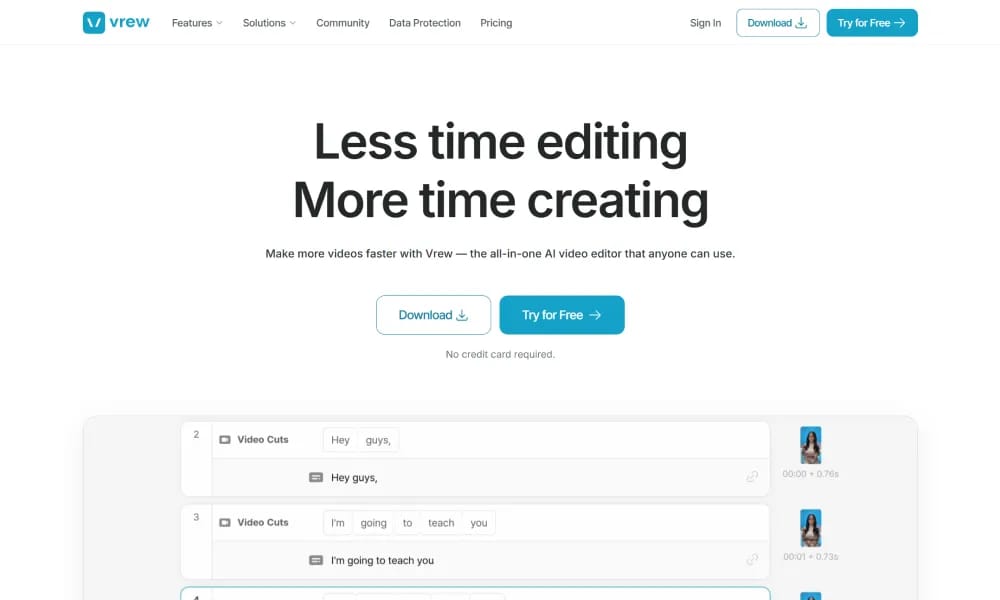
Details and main features: Vrew.ai is an all-in-one AI video editor that simplifies video production by allowing text-based editing—edit the transcribed text to cut, copy, move, and rearrange footage; core features include AI auto-transcription & subtitles, text-based editing, speech editor (edit text to regenerate audio in original voice without re-recording), one-click silence removal, generative AI tools (voiceovers, images, scripts), stylized auto-captions with translation (60+ languages including English), and text-to-video; ideal for content creators (vlogs/shorts), marketers (demos/ads), educators (lessons), with 10x faster editing and time savings; available on Mac, Windows, Linux desktop, and browser; developed by VoyagerX. Main features Text-based video editing: Cut, delete, rearrange clips by editing the transcript. Speech editor: Fix spoken errors by typing, AI regenerates audio in original voice. Silence remover: Automatically detect and cut pauses with one click. Auto-captions & translation: Generate styled subtitles, multi-language support. Generative AI tools: Create voiceovers, images, and full videos from scripts. Other: Free stock assets (images/videos/music), cloud storage, brand kits (paid plans).
Best For
Best for content creators, educators, and business users who want to edit video by editing text, making video production as simple as document editing.
Key Features
- Text-based video editing where users edit transcribed text to cut, copy, move, and rearrange video footage as easily as editing a document
- AI auto-transcription with high-accuracy speech recognition supporting multiple languages and automatic punctuation insertion
- Speech editor that allows removing, replacing, or adding spoken words within the video while maintaining natural voice flow
- Automatic subtitle generation with customizable font styles, positions, and export in SRT or embedded formats
- AI background music generator that creates royalty-free music tracks matching the mood and pacing of the video content
- Built-in screen recording and webcam capture for creating tutorials, presentations, and talking head content directly within the editor
Pros
- +Text-based editing paradigm is revolutionary for video editing, making it as intuitive as editing a Word document
- +Speech editor allows correcting verbal mistakes in recordings without re-recording entire sections
- +Fast transcription and subtitle generation significantly reduces the time spent on accessibility and multilingual content
Cons
- -Best suited for talking head and narration-heavy content, less effective for music videos or visual-effects-driven projects
- -Advanced video effects and color grading capabilities are limited compared to traditional professional NLE software
/// SPECS
- Pricing:ProFree
- Platform:Browser
- Free tier available, premium features paid

FlexClip
Online video editor and AI generator for quick professional video creation.

Vibemotion
AI tool for quick creation of pro motion graphics videos via chat prompts.

VideoGen
AI video generator creating professional, copyright-free videos from text in minutes.

Vidfly
All-in-one AI platform for generating pro videos and images from text/images.

Vizard
AI video clipping tool turning long videos into viral social shorts.

Vmake
All-in-one AI tool for talking video editing, enhancement, and creation.

Wavel.ai
All-in-one AI platform for instant video dubbing, subtitles, and multilingual localization.

AI Studios
AI video platform using digital avatars to create pro videos from text.

Mirage
AI platform for generating hyper-realistic short videos with text prompts.

Clipfly
AI creative platform for fast video, image, and music generation from text/images.