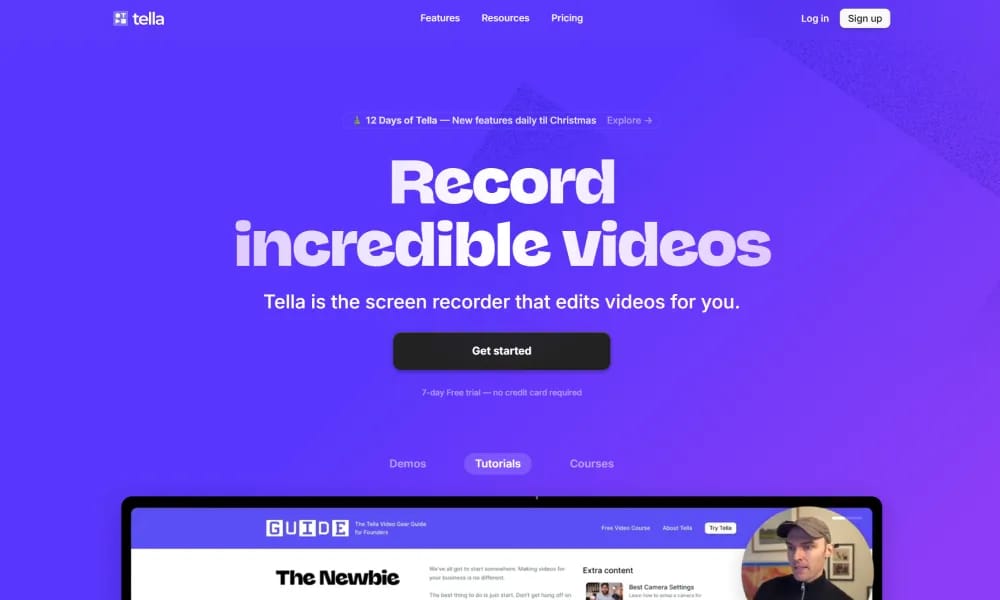
Product Overview
Details and main features: Tella.com is an online screen recorder and video editor for Mac and Windows, positioned as a polished alternative to Loom, enabling users (creators, entrepreneurs, coaches, marketers, teams) to record and edit high-quality videos efficiently for product demos, tutorials, courses, team updates, etc.; features clip-based recording (short segments + speaker notes for guidance), powerful AI editing (one-click remove filler words, silences, mistakes), multi-layouts, zoom effects, transitions, custom backgrounds (presets/Unsplash/uploads), auto-subtitles; supports instant uploads, preset templates, instant rendering, 4K exports, link sharing, viewer comments/downloads; browser + Mac/Windows app, focuses on reducing editing from hours to minutes with more beautiful, professional results. Main features Clip-based screen recording: Record screen + camera with notes, multi-source inputs. AI editing: Auto-remove fillers/silences, AI video titles, auto-layout switching. Visual enhancements: Zooms/transitions/custom backgrounds, multi-layouts, cropping/splitting/trimming. Sharing & export: 4K/60FPS exports, embeddable player, custom domain (advanced), viewer interaction, Google indexing. Other: Reusable clips, templates, team workspace, instant rendering, no complex software needed.
Best For
Best for entrepreneurs, coaches, marketers, and teams who need a polished screen recording tool with AI editing and analytics for professional video communications.
Key Features
- Polished screen and camera recording with simultaneous dual-source capture for picture-in-picture
- AI-powered automatic transcript generation synced to video timeline for searchable content
- Built-in trim, split, and reorder tools for quick post-recording edits without external software
- Custom branding overlays with logos, colors, and lower-thirds for professional business communications
- Shareable video links with viewer analytics including watch time, drop-off rates, and engagement data
- Team workspace with shared libraries, templates, and collaborative review workflows
Pros
- +Clean, Mac-native-quality experience on both desktop platforms with excellent performance
- +Combines recording, editing, and sharing in one seamless workflow with no tool hopping
- +Viewer analytics provide valuable insights into how audiences engage with recorded content
Cons
- -Limited video editing capabilities compared to full-featured editors like Camtasia or ScreenFlow
- -Pricing can be steep for individual creators compared to simpler alternatives like Loom
/// SPECS
- Pricing:ProFree
- Platform:Browser
- Free tier available, premium features paid

FlexClip
Online video editor and AI generator for quick professional video creation.

Hedra
AI platform for generating realistic talking character videos from text/audio.

Move
AI markerless motion capture tool generating high-fidelity 3D animation from video.

Vidau
AI platform for generating high-converting video ads from product links.

Vidnoz
AI avatar video platform for creating pro talking videos from text quickly.

Vozo
AI platform for video translation, dubbing, and realistic lip sync.

VideoBgRemover
Online AI tool to remove and replace video backgrounds without green screen.

WaifuLabs
AI tool that generates custom anime waifu portraits in 4 interactive steps.

ssemble
Online AI video editor for easy creation of professional social & marketing videos.

Pippit
免费AI内容创作代理,一键从产品链接生成营销视频与图像。